New Tools/Apps from your PNW crew - Time to test!

@flybill and others getting the error - I know Bill does, but anyone else getting that error already have an account on there not through their Forum account? Could be that it doesn't like a duplicate email address in there. I am going to test that next when I get a chance.
I did create an account to view the tool prior to trying the PNWFF login
 
I did create an account to view the tool prior to trying the PNWFF login
If anyone who had issues before wants to try again - I made it so the accounts should merge. If the error persists, it's something else and I'll need to dig into the console to read error logs to figure it out.
 
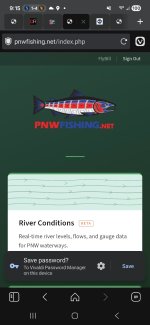
Works on my phone too, with Vivaldi. Username is case sensitive.

Screenshot_20260414_211536_Vivaldi.jpg
 
If anyone who had issues before wants to try again - I made it so the accounts should merge. If the error persists, it's something else and I'll need to dig into the console to read error logs to figure it out.
Working as it should now! Thanks for the effort to put this together and troubleshoot it!
 
Now that these "easy" ones are up and running, I can concentrate on the BIG one that will benefit the users here most. To say it's a much larger undertaking than the two apps shown so far is an understatement, but it's going to be awesome.
 
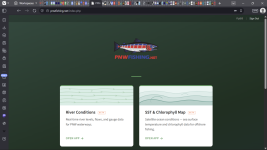
Need some of yous to try something out for me. at pnwfishing.net - there's a login option now that links to your pnwflyfishing.com/forum account. Idea being that forum supporters will be granted special access in future updates/apps.

I need a few of you to sign in with that so I can see how the process goes for different folks.

worked fine for me this morning…thank you
 
Thank You for your efforts!

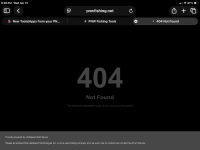
I checked out the River app on my phone. I can tag favorites, but after establishing a favorites list, the links to the rivers' conditions in the favorites page are broken - 404 Not Found error.

Behavior: not a bug but something to note...
I noticed on a river with multiple gauge sites that when I select a specific gauge the gauge page will show all the gauge locations. If more than two gauges I have to select one gauge from a menu. If I tag one as a favorite it moves to the top of the gauge page.
Adding; from my Windows laptop, not really a bug but more behavior. I think the favorites tags are cookies based and I had to retag them on a second device.

One thing I kinda wish it would not do is after checking out a gauge page, when I use the back to map link it zooms all the way out to the entire western regional states with the 3 states' gauges view. I would prefer persistence to a smaller area I had been in, instead of having to zoom back in from the western region view.

Some other observations: I am curious about the variability shown on the cfs and gauge height. I think the CFS and gauge height axes are labeled to show the correct values with a single line on the NOAA charts.

I am pretty spoiled by my subscription phone apps though. For each favorite they have optional labeled "level" tags on the y axis (I use too high, med, too low) and notifications for a specific tag level.
 
Last edited:
Was able to get in and play some with the river data. One thing that would be great is to have the NOAA flow forecasts if they're available.
 
Was able to get in and play some with the river data. One thing that would be great is to have the NOAA flow forecasts if they're available.
On my phone I have noticed the NOAA Water Prediction Service (NWPS) reporting hardware is on a subset of USGS gauge sites and is a separate app on my phone. However the NOAA app does display the current USGS reporting values.
 
Thank You for your efforts!

I checked out the River app on my phone. I can tag favorites, but after establishing a favorites list, the links to the rivers' conditions in the favorites page are broken - 404 Not Found error.

Behavior: not a bug but something to note...
I noticed on a river with multiple gauge sites that when I select a specific gauge the gauge page will show all the gauge locations. If more than two gauges I have to select one gauge from a menu. If I tag one as a favorite it moves to the top of the gauge page.
Adding; from my Windows laptop, not really a bug but more behavior. I think the favorites tags are cookies based and I had to retag them on a second device.

One thing I kinda wish it would not do is after checking out a gauge page, when I use the back to map link it zooms all the way out to the entire western regional states with the 3 states' gauges view. I would prefer persistence to a smaller area I had been in, instead of having to zoom back in from the western region view.

Some other observations: I am curious about the variability shown on the 3 axis between the cfs and gauge height.

I am pretty spoiled by my subscription phone apps though. For each favorite they have optional labeled "level" tags (I use too high, med, too low) and notifications for a specific level.

all noted - yeah favorites is cookie based. That's another database thing I need to tie into the user list... like all things database, I dread dealing with it and procrastinate. It's on the list though. Wanted to get everything else going first.

Still working on smoothing out the river pages that list all the gauges. Give it time, it'll get cleaned up. Why we call this the "Beta" stage... Just testing things out to find what's broken and/or needs to be improved. Definitely taking notes on all this.

I'm just simultaneously working on 3 different app projects here (as if I wasn't busy enough in my life already), so you'll see progress on each one little by little. (well, except the big one which is a ways out from public consumption).
 
Playing with App this morning. Saved 3 gauges as favorites. Deschutes @ Madras, @ Culver and Owyhee below dam. Closed App, reopened and clicked on favorite link. Selected the D @ Madras and got the attached 404 error message
 

Attachments

  • IMG_0640.png
    IMG_0640.png
    90.7 KB · Views: 0
I am not an ocean angler but I think the Ocean Chloro-SST app that functions offline after the initial load(!) would be da bomb(!) if I were chasing those values. Split mode is real nice. WELL DONE!

Behavior: need to close the display pane to close the target waypoint and deselect the measure button to clear the from-to waypoint and arrow without a reload.

It would be nice to set cookies for the grid, places, and contour options.
 
I am not an ocean angler but I think the Ocean Chloro-SST app that functions offline after the initial load(!) would be da bomb(!) if I were chasing those values. Split mode is real nice. WELL DONE!

Behavior: need to close the display pane to close the target waypoint and deselect the measure button to clear the from-to waypoint and arrow without a reload.

It would be nice to set cookies for the grid, places, and contour options.
yep, all in the plans. Good to have reminders from everyone though. Those little details are tough to get all at once, but having you guys go in there and get them back on my radar is hugely helpful.

The GPS mode should be working on there as well for the mobile version - it may just not seem like it as I think the blue dot that shows your location is being hidden under the land map layer I use to make a cleaner coastline (currently, the chloro data bleeds over and makes the coastline all garbled, so made an overlay). But the blue dot will be visible in the ocean for sure. That's the idea though - put it in offline mode, hit GPS, and see where on the chloro chart you're sitting.
 
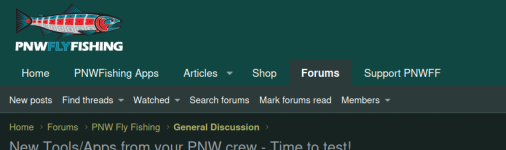
Did "PNWFishing Apps" bump "New Posts" off of the top banner (the banner that stays visible as you scroll down a thread)?

"New Posts" is the thing I click on the most and I would like it to stay visible on my screen as I scroll.
 
Did "PNWFishing Apps" bump "New Posts" off of the top banner (the banner that stays visible as you scroll down a thread)?

"New Posts" is the thing I click on the most and I would like it to stay visible on my screen as I scroll.
New Posts should be right where we left it1776280602271.png
 
  • Like
Reactions: Zak
Back
Top